[NOTICE] 촛불하나 (Make a wish) 발매 기념 스트리밍 이벤트
안녕하세요. 파라스타엔터테인먼트입니다.
BIG OCEAN 「촛불하나 (Make a wish)」발매를 기념하여 스트리밍 이벤트를 진행합니다.
아래 내용을 확인하신 후 많은 참여 부탁드립니다.
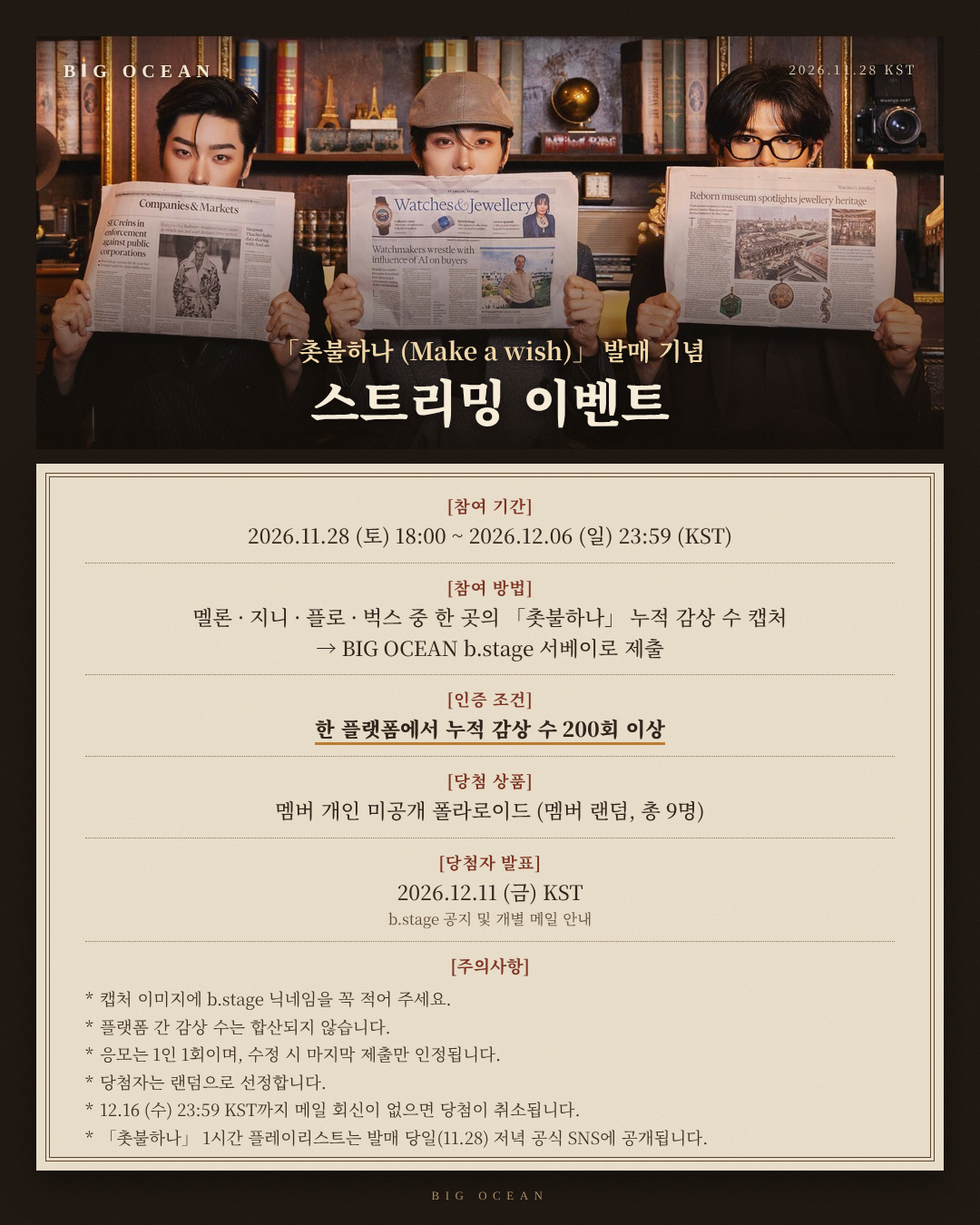
[참여 기간]
2026.11.28 (토) 18:00 ~ 2026.12.06 (일) 23:59 (KST)
[참여 방법]
1. 멜론 · 지니 · 플로 · 벅스 중 한 곳에서 '촛불하나' 누적 감상 수 화면을 캡처
2. 캡처 이미지에 b.stage 닉네임 기재
3. BIG OCEAN b.stage 서베이를 통해 제출
[인증 조건]
한 플랫폼에서「촛불하나」누적 감상 수 200회 이상
[당첨 상품]
BIG OCEAN 개인 폴라로이드 (멤버 랜덤 / 총 9명)
[당첨자 발표]
2026.12.11 (금) 12:00 (KST) b.stage 공지 및 개별 메일
[감상 수 확인 방법]
· Melon
1. 멜론 앱에서 ‘촛불하나’를 검색
2. 곡 오른쪽의 ⋮(더보기) 버튼을 누른 뒤 ‘곡 정보’ 클릭
3. 곡 정보 화면에서 ‘곡 제목’, ‘스트리밍 리포트’ 의 '나의 감상 수'가 보이도록 화면을 캡처
※ 스트리밍 리포트에서 저장한 '스트리밍 카드' 이미지도 인정됩니다.
· Genie
1. 지니 앱 하단의 '내음악' 탭 클릭
2. ‘많이 재생한 곡’ 클릭
3. 목록에서 ‘촛불하나’ 와 재생 횟수가 함께 보이도록 캡처
※ PC에서는 '마이뮤직' → '많이 들은 곡'에서 확인할 수 있습니다.
· FLO
1. 플로 앱 하단의 '보관함' 탭 클릭
2. ‘많이 들은 곡’ 클릭
3. ‘촛불하나’ 옆의 재생 횟수(♫ 숫자)가 보이도록 캡처
※ 최근 6개월 동안의 재생 기록이 표시됩니다.
· Bugs
1. 벅스 앱 하단의 '내 음악' 탭 클릭
2. ‘많이 들은 곡’ 클릭
3. 목록에서 ‘촛불하나’ 와 재생 횟수가 함께 보이도록 캡처
[1시간 플레이리스트]
2026.11.28 (토) 음원 발매 후 신속 공개
[유의사항]
1. 캡처 이미지에 b.stage 닉네임이 없으면 당첨에서 제외됩니다.
2. 플랫폼 간 감상 수는 합산되지 않습니다.
3. 응모는 1인 1회이며, 응답을 수정한 경우 마지막 제출만 인정됩니다.
4. 200회 달성 후 제출해 주세요.
5. 당첨자는 랜덤으로 선정합니다.
6. 2026.12.16 (수) 23:59 KST까지 메일 회신이 없으면 당첨이 취소됩니다.
7. 이미지 조작, 허위 정보 등 부정한 방법으로 참여한 경우 당첨에서 제외됩니다.
많은 관심과 참여 부탁드립니다.
감사합니다.
Hello, this is Parastar Entertainment.
To celebrate the release of BIG OCEAN's "Make a wish," we are holding a streaming event.
Please check the details below and join in!
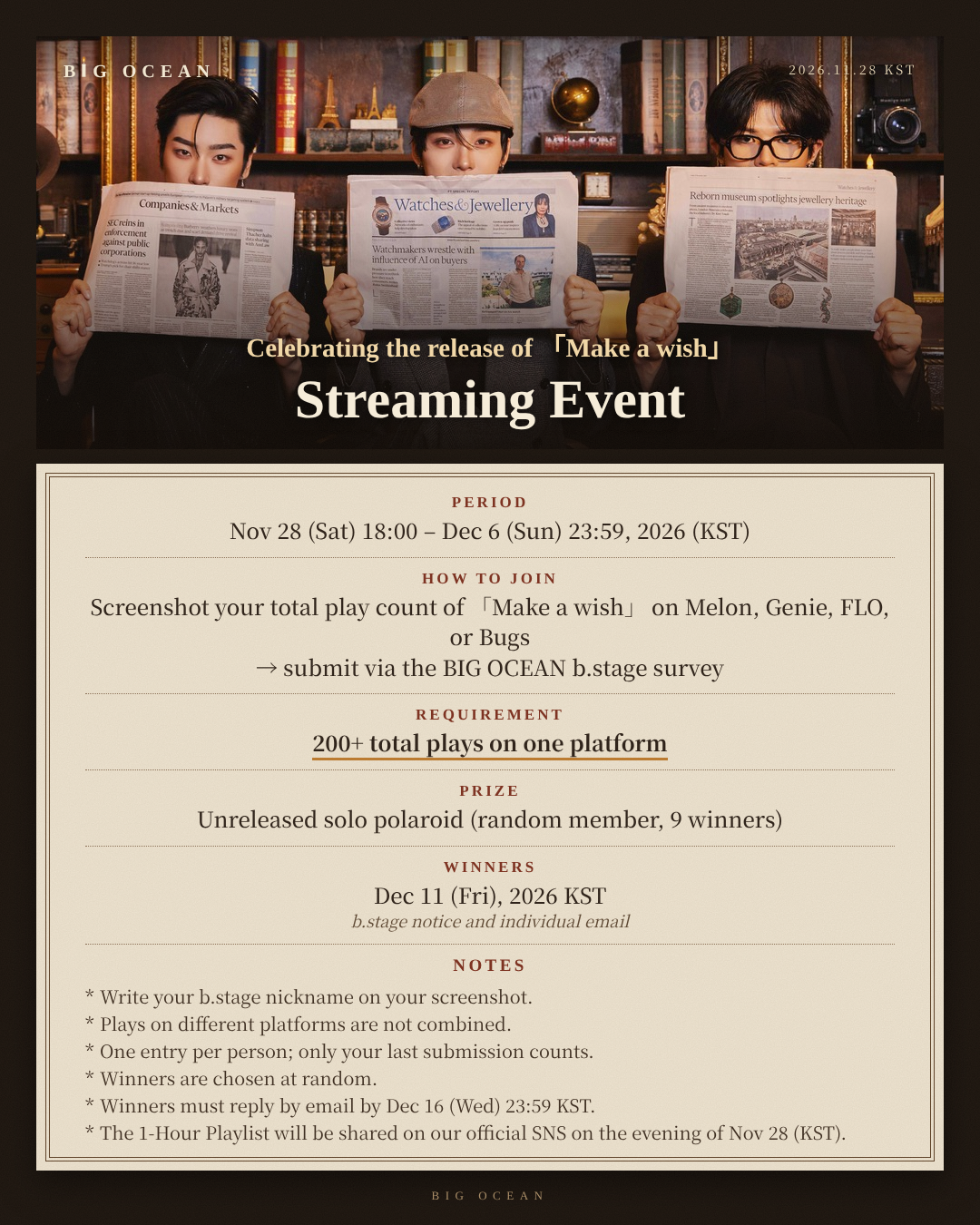
[Event Period]
November 28, 2026 (Sat) 18:00 ~ December 6, 2026 (Sun) 23:59 (KST)
[How to Participate]
1. Take a screenshot showing your accumulated streaming count for "Make a wish" on one of the following platforms: Melon, Genie, FLO, or Bugs.
2. Write your b.stage nickname on the screenshot image.
3. Submit the image via the BIG OCEAN b.stage survey.
[Verification Requirement]
At least 200 accumulated streams of "Make a wish" on a single platform.
[Prize]
BIG OCEAN Individual Polaroid (Random Member / 9 winners in total)
[Winner Announcement]
December 11, 2026 (Fri) 12:00 (KST) via b.stage notice and individual email.
[How to Check Streaming Count]
· Melon
1. Search for ‘촛불하나 (Make a wish)’ on the Melon app.
2. Tap the ⋮ (More) button on the right side of the track and select ‘Song Info’.
3. On the Song Info screen, take a screenshot clearly showing the ‘Song Title’ and ‘My Stream Count’ under ‘Streaming Report’.
※ A 'Streaming Card' image saved from the Streaming Report is also accepted.
· Genie
1. Tap the 'My Music' tab at the bottom of the Genie app.
2. Tap ‘Most Played Songs’
3. Take a screenshot showing both ‘촛불하나 (Make a wish)’ and the play count on the list.
※ On PC, you can check this via ‘My Music’ → ‘Most Listened Songs’.
· FLO
1. Tap the 'Library' tab at the bottom of the FLO app.
2. Tap ‘Most Listened Songs’.
3. Take a screenshot showing the play count (♫ number) next to ‘촛불하나 (Make a wish)’.
※ Play history from the last 6 months is displayed.
· Bugs
1. Tap the ‘My Music’ tab at the bottom of the Bugs app.
2. Tap ‘Most Listened Songs’
3. Take a screenshot showing both ‘촛불하나 (Make a wish)’ and the play count on the list.
[1-Hour Playlist]
Will be released promptly after the digital release on November 28, 2026 (Sat).
[Notes]
1. Submissions without your b.stage nickname written on the screenshot will be excluded from winning.
2. Streaming counts across different platforms cannot be combined.
3. Entries are limited to one per person. If you edit your response, only your final submission will be valid.
4. Please submit your entry after reaching 200 streams.
5. Winners will be selected at random.
6. If there is no reply to the winner notification email by December 16, 2026 (Wed) 23:59 (KST), the prize will be forfeited.
7. Any participation using fraudulent methods, such as image manipulation or false information, will result in disqualification.
We look forward to your interest and participation.
Thank you.